
WooCommerce Product Add-Ons Plugin
Smart Add-Ons — WooCommerce Product Add-Ons, personalized for every store
Smart Add-Ons is the WooCommerce product add-ons plugin for stores selling personalized, made-to-order products — engraving, gift wrap, custom sizing, print-on-demand.
Customers see a live price preview as they choose options, backed by conditional logic and secure file uploads, on a plugin built for WooCommerce Blocks and HPOS — not retrofitted onto them.
Licensed directly from the team that builds it, so you can try it on a live store before you buy.
- Blocks & HPOS Ready
- 30-Day Money-Back Guarantee
- GPL Licensed
- Direct Support from the Team That Builds It
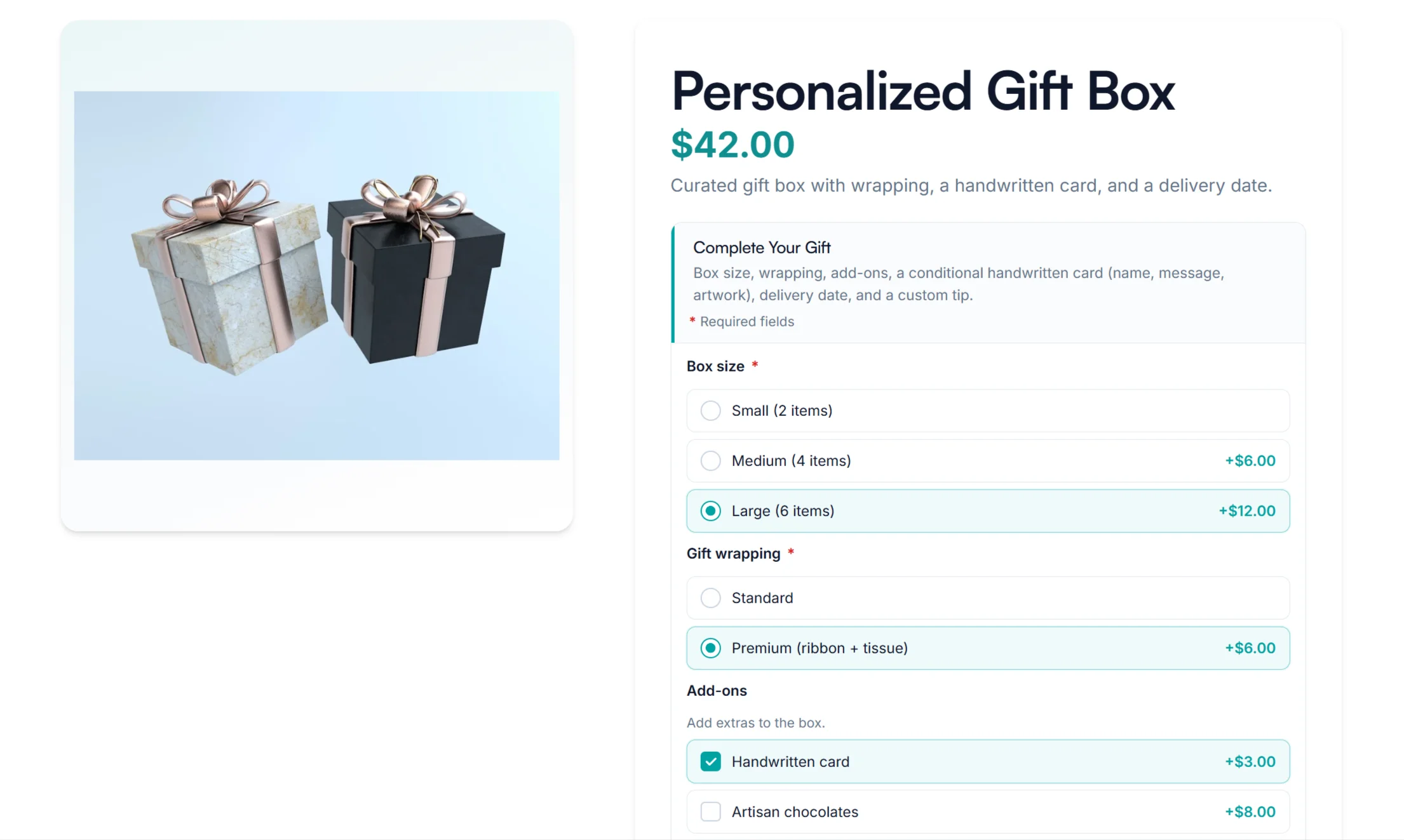
Who it’s for
Built for the people who actually run WooCommerce stores
Whether you sell one-of-a-kind products, manage several sites, or build stores for clients — Smart Add-Ons fits how you already work.
Use cases
What merchants build with Smart Add-Ons
Product add-ons solve the same problem in very different shops: letting a customer configure what they are buying before it reaches the cart. Here is what that looks like in practice, and which fields do the work. For field-by-field setups with live demos, see 10 WooCommerce product customization examples.
Not sure which fields your store needs? Start with the field type list, or work through a full setup in the documentation.
See it in action
What your customers actually see
Not a mockup — every capture below is a live screenshot from the Smart Add-Ons demo store.

Visual options, not dropdowns
Customers pick a material, color, or style by sight, not by guessing from a list of text labels.
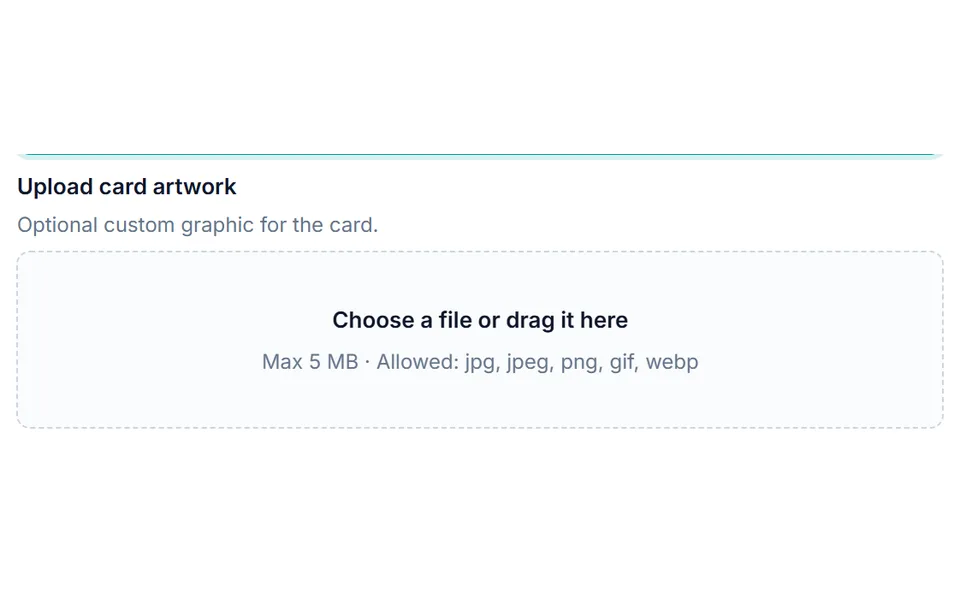
Secure uploads, right on the product page
Customers attach their own artwork or files before checkout — no separate email thread required.
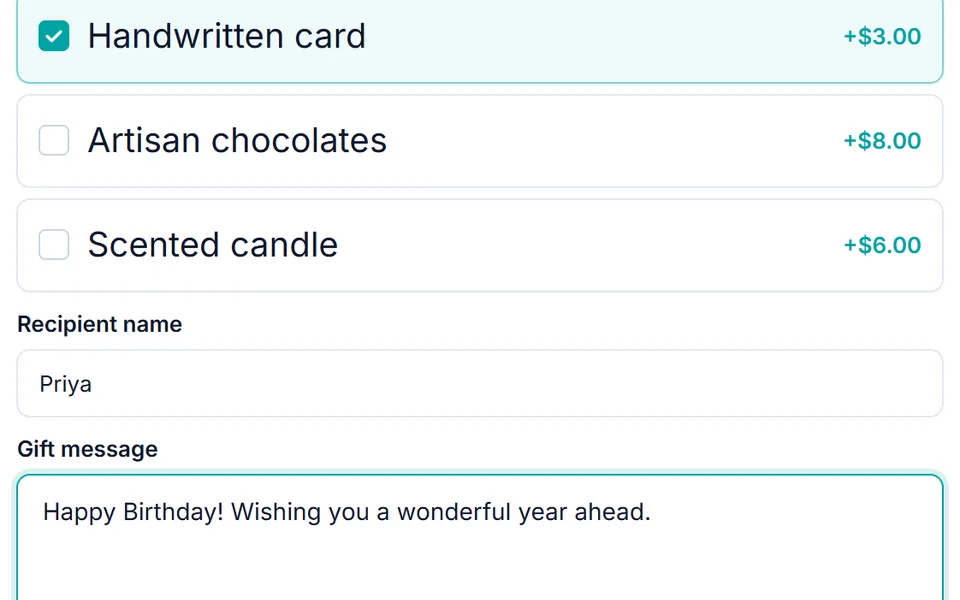
Only the options that apply
Fields can appear or disappear automatically based on earlier choices, so customers never see add-ons that don’t apply to them.
Want to see these working together? Open live demo (opens in new tab).
Field types
Every product option field, built in
Ten add-on field types cover the way real stores sell — checkboxes and dropdowns for simple choices, image swatches for visual ones, text and file uploads for personalization, and a custom price field for name-your-own amounts. Each one supports pricing, conditional logic, and validation.
Checkbox Field
Checkbox field for optional yes/no add-ons like gift wrapping, engraving, or extended warranty.
Checkbox Group Field
Checkbox group field with multiple independent options. Each option can have its own label and price.
Radio Field
Radio field to pick exactly one option from a list. Best for materials, sizes, or finishes with per-option pricing.
Image Select Field
Image select field — a visual pick-one selector with an image per option. Ideal for colour swatches, styles, and design choices.
Dropdown Field
Dropdown field for longer option lists. Each option can have its own price.
Text Field
Text field for single-line names, short messages, or reference codes. Supports character limits and required validation.
Textarea Field
Textarea field for multi-line messages, instructions, or special requests.
Date Field
Date field with a date picker for event dates, delivery scheduling, or personalised date engravings.
Custom Price Field
Custom price field — let the customer type a price themselves for donations, tips, pay-what-you-want, or custom quotes.
File Upload Field
File upload field for artwork, logos, or photos. Files are stored privately; admins download them from the order page.
What’s included
Everything you need, organized the way you’ll actually use it
From the fields customers see to the hooks developers extend — here’s the full capability set, grouped so you can find what matters to you.
Field types
The building blocks for any option a customer can choose or enter.
- Text & textarea
- Checkbox & multi-select
- Radio & dropdown
- Image selection
- Secure file upload
- Date picker
- Customer-defined price
Pricing & totals
How each option affects the price a customer sees and pays.
- Fixed & percentage pricing (formula pricing on Pro)
- Flat fee vs per-quantity modes
- Min/max quantity rules
- Live price preview on product pages
- Prices shown beside each option
Logic & validation
Rules that keep the right fields visible — and orders clean.
- Show/hide fields & groups (IF/THEN)
- Role-based & scheduled group visibility
- Required field markers
- Text validation rules (length, pattern)
- Cart validation before add to cart
Admin workflow
How you build, reuse, and manage add-on groups day to day.
- Drag-and-drop field reorder
- Duplicate groups & fields
- Import/export JSON
- Save & reuse group templates
- Per-product exclude global add-ons
- Order admin file download
Storefront & checkout
Where customers see and interact with their choices.
- Classic & block theme product pages
- WooCommerce Blocks cart & checkout
- Accordion or stacked group layout
- Selections in cart, checkout & orders
Growth tools (Pro plan)
ProTurning add-on data into decisions that grow AOV.
- Revenue analytics dashboard
- A/B test add-on groups
- AI-powered upsell suggestions
Developer customization
Where agencies and developers extend Smart Add-Ons safely.
- Filter groups per product (saue_addon_groups_for_product)
- Register custom field types (saue_register_field_types)
- Lifecycle hooks on group save & field delete
- Subscriptions, Bookings & WPML integration hooks
All capabilities ship with every license unless marked Pro on the Growth tools tile.
Compare
Smart Add-Ons vs WooCommerce Product Add-Ons
Smart Add-Ons does the same core job as the official WooCommerce extension — product options and paid add-ons. The difference is what it adds on top: built-in conditional logic on every plan, plus formula pricing, add-on analytics and A/B testing on Pro.
| Feature | Smart Add-Ons | Woo Product Add-Ons |
|---|---|---|
| Conditional show/hide (built-in) | ✓ | — |
| Formula pricing | Pro plan | — |
| Add-on revenue analytics dashboard | Pro plan | — |
| A/B testing & AI upsell suggestions | Pro plan | — |
| Live price total on product page | ✓ | ✓ |
| Required fields & validation | ✓ | ✓ |
| WooCommerce Blocks cart & checkout | ✓ | ✓ |
| HPOS compatible | ✓ | ✓ |
| File upload field | ✓ | ✓ |
| Import/export of add-on groups | ✓ | ✓ |
| REST API | ✓ | ✓ |
WooCommerce Product Add-Ons pricing varies by region and offer — see their product page for current details. Feature comparison based on their product page and documentation, checked 1 October 2026, and Smart Add-Ons as shipped.
Switching
Already using another WooCommerce product add-ons plugin?
Most people who land here already have product options running somewhere — they want conditional logic, formula pricing, or clearer data on which options actually sell. Here is what carries over, and what does not.
Want the detail before you move? Read the side-by-side table, the full comparisons with WooCommerce Product Add-Ons and Barn2 Product Options, or ask support about your specific setup — we will tell you honestly if it is not a fit.
How it works
Up and running in minutes
Three steps from install to your first live add-on group — no developer required.
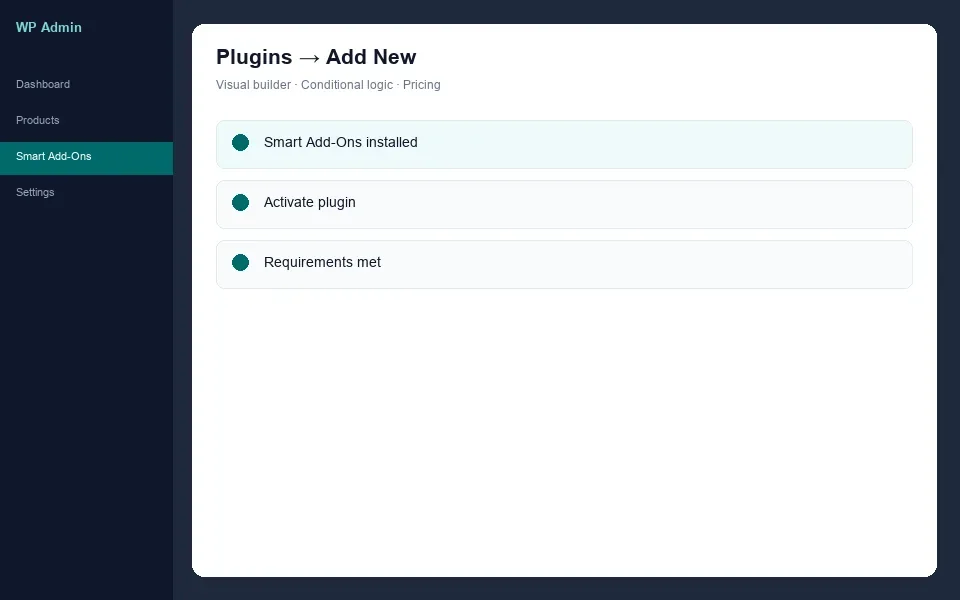
1
Install on WooCommerce
Upload the plugin ZIP and activate from your WP admin.
2
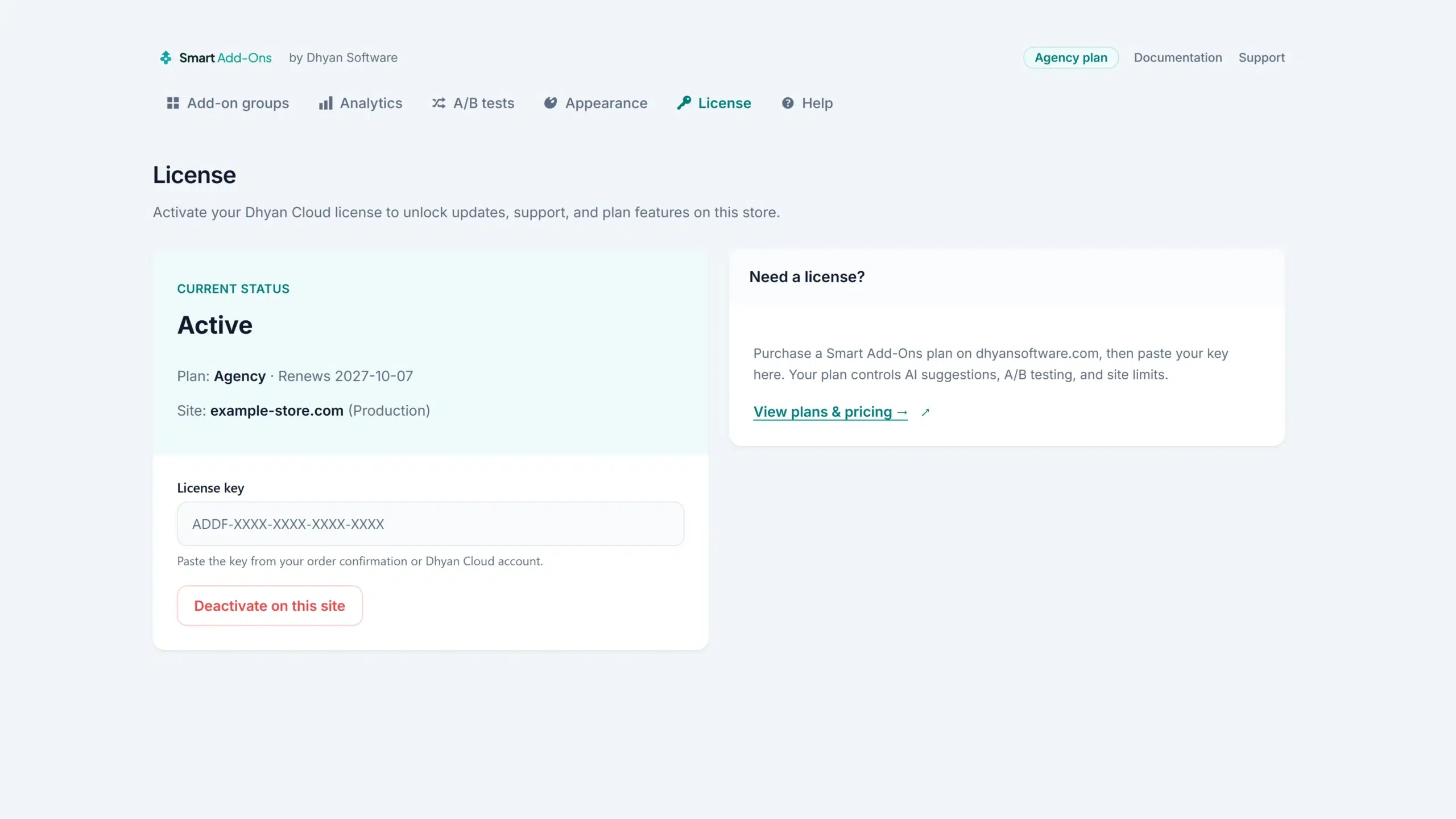
Activate license
Paste your license key and get instant access to updates.
3
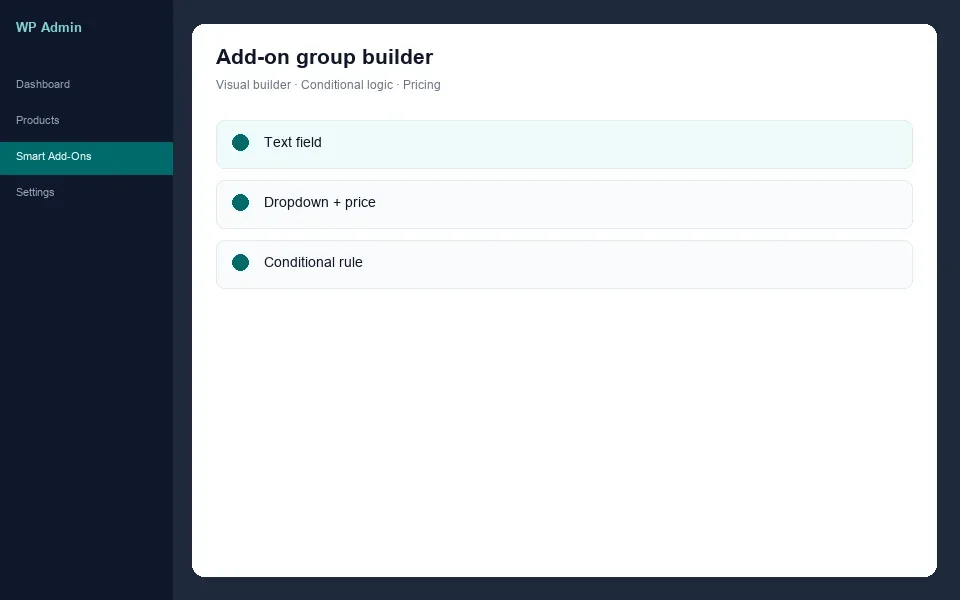
Create add-on groups
Build your first add-on group with fields, pricing, and conditional rules — no code required.
Why trust us
Trust that doesn’t depend on time
Smart Add-Ons is a new product. These are the things that don’t depend on a track record.
Pricing
Simple, transparent licenses
Pick the site count and feature set that match where your store is today — every plan includes one year of updates and support, and you can upgrade anytime.
New version coming soon — free on WordPress.org with an optional Pro add-on.
Starter
1 production site · 3 non-production sites
$89 /year
- Add-on builder (10 field types)
- Conditional logic & validation
- Fixed, % & flat/per-qty pricing
- Import/export & group templates
- Classic + Blocks checkout
- Secure file uploads
- Email support
Pro
3 production sites · 3 non-production sites
$149 /year
- Everything in Starter
- Formula pricing
- Role & schedule visibility
- Accordion group layout
- Analytics dashboard
- A/B testing
- AI upsell suggestions
- Priority support
1 year updates & support · 30-day money-back guarantee
Requirements
- WordPress 6.4+
- PHP 8.1+
- WooCommerce 8.0+
Running an older setup? Update WordPress and WooCommerce first — Smart Add-Ons needs both to work correctly.
Common questions
Frequently asked questions about Smart Add-Ons
Quick answers about compatibility, performance, licensing, and what happens if it’s not the right fit.
Does WooCommerce have a built-in product add-ons feature?
No. WooCommerce core covers variations — fixed combinations of attributes like size and colour that each have their own stock and price. Optional extras such as gift wrapping, engraving text, or a file upload need an add-ons extension, either the official WooCommerce Product Add-Ons or an alternative like Smart Add-Ons.
What is the difference between product add-ons and product variations?
Variations are a fixed list you define in advance — every combination is its own item with its own SKU and stock. Add-ons are open-ended options layered on top of a product: a message the customer types, a date they pick, a file they upload, an extra they tick. Use variations when the combinations are countable, add-ons when they are not.
Does Smart Add-Ons work with WooCommerce Blocks and block themes?
Yes. Product options, cart, and checkout all work with WooCommerce Blocks and FSE block themes, not just the classic checkout — no separate compatibility patch required.
Will Smart Add-Ons slow down my store or conflict with other plugins?
Smart Add-Ons is built for WordPress 6.4+, PHP 8.1+, and WooCommerce 8.0+, and only loads its assets on pages where add-ons are active.
Can I show or hide options based on what a customer already chose?
Yes. Conditional logic shows or hides a field based on what the customer chose earlier, and each add-on group can also be limited to certain customer roles or a date range — set up in the visual builder, no code required. Full details are in the documentation.
Can customers upload their own artwork, logos, or files?
Yes. Add a secure file-upload field to any product, set the file types and size limits you allow, and download what customers send you directly from the order in WooCommerce admin.
Can I charge a percentage or calculate the price from what the customer enters?
Yes to both. Every option can be priced as a fixed amount, a percentage of the product price, a flat fee, or per quantity. Formula pricing goes further and calculates from the numbers a customer enters — width, length, or area — so made-to-measure products price themselves instead of needing a variation for every size.
Can I limit how much text a customer types into a field?
Yes. Text and textarea fields both take an optional character limit, and either can be marked required so nothing reaches the cart half-filled. That is what keeps an engraving field inside what your machine can actually engrave.
Does Smart Add-Ons work with page builders like Elementor or Divi?
Add-ons render through the standard WooCommerce product page hooks, so they appear on builder-designed product pages as long as your template still fires those hooks — which most builder product templates do. There is no dedicated builder widget for dropping an add-on group somewhere else on the page yet; that is on the roadmap, not in the current release.
Can I show different options to different customers?
Yes. Each add-on group has visibility settings: show it to guests, logged-in customers, shop managers or administrators, and between a start and an end date, so seasonal options can appear and disappear on their own.
How many sites does one license cover, and can I move it later?
Starter covers 1 production site and Pro covers 3, and every plan also includes 3 staging or development sites. You can deactivate a license on one site and activate it on another at any time. See the License & Subscription Terms for the details.
What happens after my first year?
Your add-on fields keep working on your store. Updates, support, AI suggestions and Pro editing features renew annually, and they pause if you choose not to renew.
What if Smart Add-Ons doesn’t fit my store?
Every license includes a 30-day money-back guarantee, for any reason. See the Refund Policy for details. Support is also included if you need help before deciding.
Can I switch from WooCommerce Product Add-Ons without starting over?
You’ll need to rebuild your option groups in Smart Add-Ons’ builder — there’s no automatic importer today — but the visual builder and templates are designed to make that a fast, one-time setup rather than a rebuild from scratch.
Ready when you are
See it running on a real store
You’ve seen what it does and who it’s for. The fastest way to know if it’s right for your store is to try it yourself — or go straight to a plan.