

Quick answer
Should you use WooCommerce variations or product options?
Use variations when each version is a separate thing you stock, with its own SKU, inventory count, or photo, such as a T-shirt in five sizes. Use product options, also called add-ons, for choices you make to order, such as engraving, gift wrap, or a custom color. Many stores use both on the same product.
WooCommerce product options vs variations is one of the first decisions a store selling customizable products has to make, and getting it wrong creates work for years. Pick variations for everything and you end up creating and pricing hundreds of combinations. Pick add-ons for everything and you lose per-version stock tracking. This guide explains what each one really is, six checks that tell you which to use, and how to combine them on one product.
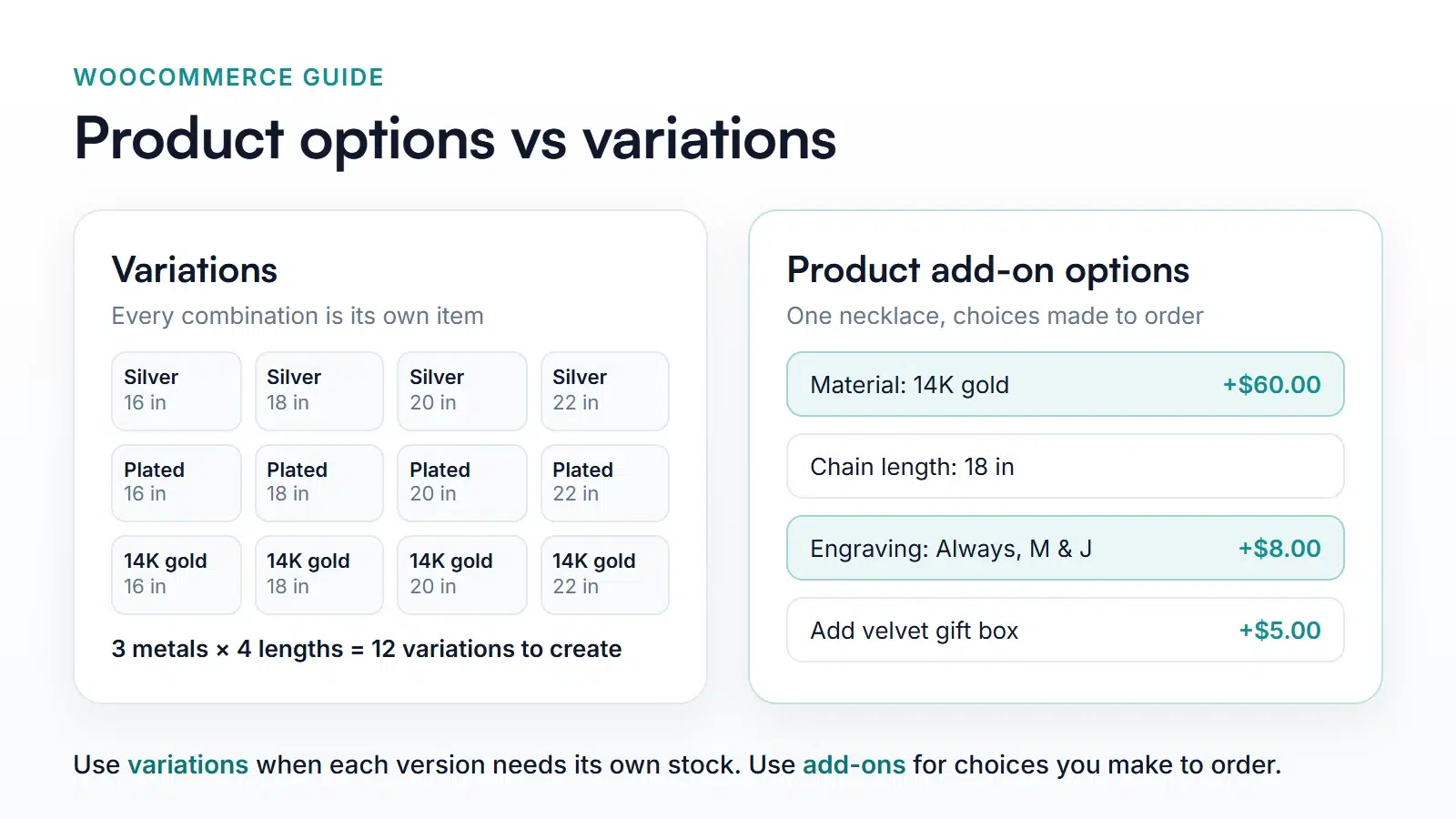
What WooCommerce variations are
A variable product is built from attributes, such as Size and Color, and every combination of attribute values you sell becomes a variation. Each variation is its own item inside the product, with its own price, SKU, stock count, weight, and image. When a shopper picks Large and Blue, WooCommerce finds that exact variation and shows its price, stock status, and photo. WooCommerce’s guide to variable products (opens in new tab) covers the setup.
The catch is multiplication. Three metals and four chain lengths already means 12 variations, and adding a third attribute with three values makes it 36. Every one needs a price, and every price change touches many of them.
What product options (add-ons) are
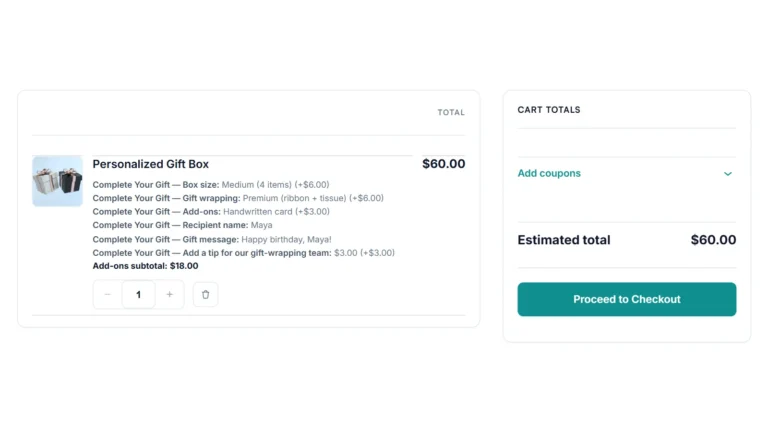
Product options are extra fields shown on the product page, provided by a product add-ons plugin such as Smart Add-Ons. A field can be a choice, such as a dropdown of chain lengths, or something the customer creates, such as engraving text or an uploaded logo. Each choice can add to the price, and choices combine freely, so there’s nothing to create in advance. What add-ons don’t do is track stock: a choice isn’t an inventory item.
WooCommerce product options vs variations: 6 checks
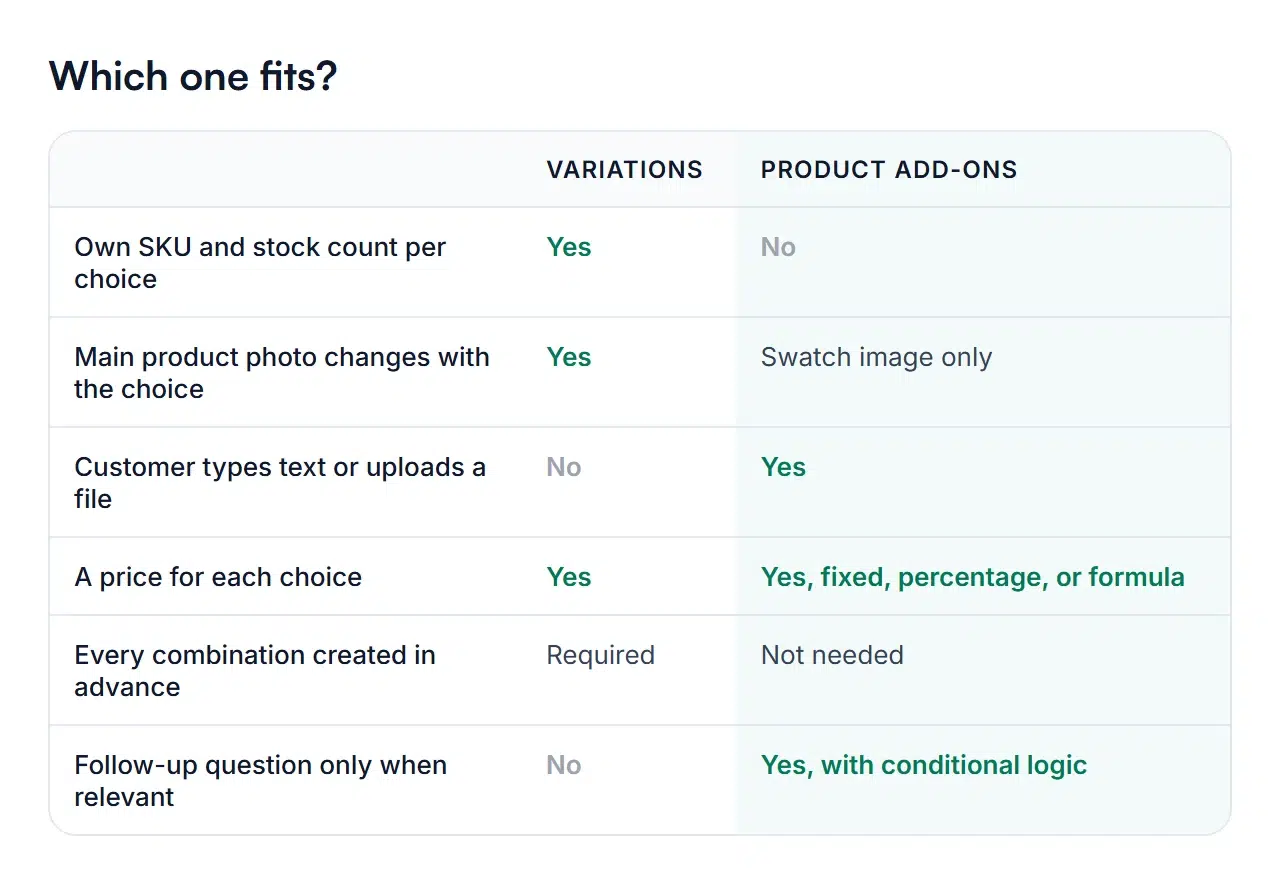
- Do you stock each version separately? If you’d run out of Large before Small, you need a stock count per version. That’s variations.
- Should the main photo change? Variations can swap the product image. Add-ons can show a swatch image beside each option, but the main gallery stays the same.
- Does the customer type or upload something? Engraving text, a gift message, or a logo can’t be an attribute value. That’s add-ons.
- How is it priced? Both can price each choice. Add-ons can also charge a percentage of the product price or use a formula, such as a price per inch.
- How many combinations would there be? If the list of variations would run into dozens, add-ons avoid creating them.
- Is a question only relevant sometimes? Variation attributes are always shown. Add-ons can show a follow-up field only when an earlier choice needs it, with conditional logic.
Use both on the same product
When weighing WooCommerce product options vs variations, the best setup is often a mix. Make the stocked versions variations and put the made-to-order choices in add-ons. A T-shirt store might create variations for Size, because each size is stocked, and use add-ons for print location, custom text, and an artwork upload.
Smart Add-Ons works on variable products. An add-on group assigned to the product shows for every variation, and prices based on the product price, such as a percentage or a {base} formula, use the price of the variation the shopper selected.
Common examples
| Product | Variations | Add-ons |
|---|---|---|
| T-shirt | Size, if stocked per size | Print location, custom text, artwork upload |
| Necklace | Metal, if you keep finished pieces | Engraving, chain length, gift box |
| Made-to-order table | None | Wood, width, length, finish, leg upgrade |
| Pizza | None | Size, crust, sauce, toppings |
| Candle gift set | Set size, if prepacked | Fragrance, label text, gift packaging |
You can try the add-on side of each example in the Smart Add-Ons demo store, where every product is a simple product with add-on options.
WooCommerce product options vs variations FAQ
Can I track inventory for an add-on choice?
No. Add-on choices don’t have stock counts. If you need to know how many of a version you have left, make it a variation.
Is it better for SEO to use variations or product options?
Neither is better on its own. Variations and add-on options both live on one product page, so they don’t create extra pages to rank. Choose WooCommerce product options vs variations based on how you stock and make the product, not on search.
Can I switch from variations to add-ons later?
Yes, but plan it. Rebuilding choices as add-ons means creating the add-on group, then turning the product back into a simple product or removing the attributes you replaced. Past orders keep the details they were placed with.
Next steps
- New to add-ons? Start with what WooCommerce product add-ons are.
- See a full made-to-order setup in the jewelry store guide.
- Compare Smart Add-Ons plans.

Comments