


Developer guide
What's the architecture behind Smart Add-Ons?
A small hand-rolled dependency injection container (bind/singleton/make, no reflection or autowiring), a Loader that collects add_action/add_filter calls and registers them all in one pass, and seven service providers — Admin, Frontend, RestApi, Licensing, Blocks, Analytics, Integrations — each responsible for one concern, instantiated in a fixed order after database migrations run.
This Smart Add-Ons architecture deep-dive starts from a contrast: most WordPress plugin tutorials show a single file wiring everything to add_action directly, and Smart Add-Ons doesn’t work that way. Looking at why is a useful case study whether or not you ever touch this codebase — it’s a real example of applying dependency injection and service providers to a plugin architecture that has to boot inside WordPress’s own lifecycle, not a framework’s.
Smart Add-Ons architecture deep-dive: the container
The DI container is around forty lines: bind() registers a factory closure, singleton() wraps that factory so it only runs once and caches the result, and make() resolves a binding by asking the container for it by class name.
$this->container->singleton(
    PriceCalculator::class,
    fn ( Container $c ) => new PriceCalculator( $c->make( FieldTypeRegistry::class ) )
);
What it deliberately doesn’t do is autowire — there’s no reflection inspecting constructor type hints to resolve dependencies automatically, the way Laravel’s container does. Every binding is an explicit closure. That’s more typing per binding and considerably easier to read: opening the container’s registration code tells you exactly what depends on what, with no reflection magic to trace through mentally.
The Loader: WordPress’s hook system, deferred
WordPress hooks are normally registered as you go — call add_action, it’s registered immediately. The Loader class instead collects every addAction/addFilter call into two arrays and only calls the real WordPress functions once, in run(), at the very end of boot:
public function run(): void {
    foreach ( $this->filters as [ $hook, $callback, $priority, $args ] ) {
        add_filter( $hook, $callback, $priority, $args );
    }
    foreach ( $this->actions as [ $hook, $callback, $priority, $args ] ) {
        add_action( $hook, $callback, $priority, $args );
    }
}
This is a well-known pattern from the WordPress Plugin Boilerplate project, and the reason to defer registration is ordering: every service provider gets a chance to register its bindings and prepare its hooks before any of them actually go live, so a provider late in the list can’t accidentally fire before one earlier in the list has finished setting up what it depends on.
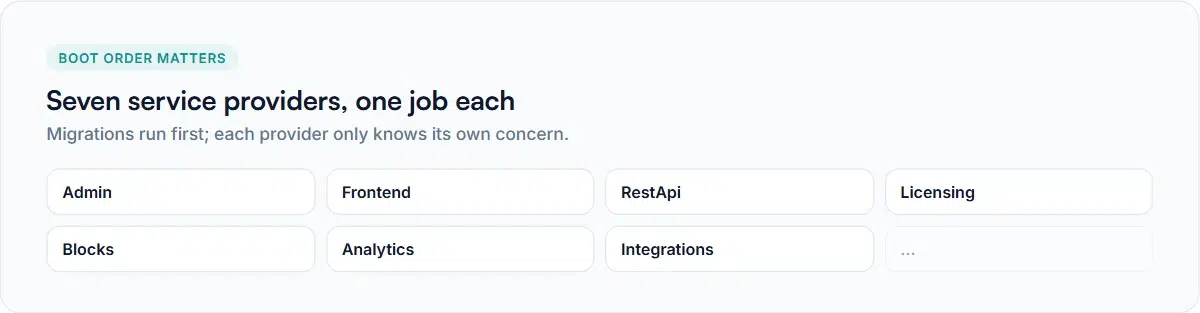
Seven service providers, one job each
Plugin::boot() runs database migrations first, then instantiates seven providers in a fixed order, each constructed with the container and asked to register():
- AdminServiceProvider — the wp-admin screens, settings, and the admin React app’s bootstrap data.
- FrontendServiceProvider — storefront rendering, asset loading, and the WooCommerce cart/checkout hooks (see the block theme guide for what this handles specifically).
- RestApiServiceProvider — every route under
/saue/v1/, covered in the REST API guide. - LicensingServiceProvider — activation, the feature gate, and how the license state (active, expired, revoked, or unverified) is reported to the rest of the plugin.
- BlocksServiceProvider — the WooCommerce Store API integration that carries add-on data through the block cart and checkout.
- AnalyticsServiceProvider — event recording and the revenue dashboard’s data pipeline.
- IntegrationsServiceProvider — compatibility hooks for other plugins, like the Subscriptions and Bookings filters covered in the hooks guide.
Each provider only knows about its own concern. The REST provider doesn’t know how the admin screens work; the admin provider doesn’t know how licensing is checked. They share state exclusively through the container — a provider that needs something another provider set up calls $container->make() for it, rather than reaching into another provider’s internals directly.
Why this shape, for a WordPress plugin specifically
A small plugin doesn’t need any of this — a handful of functions in one file is genuinely the right choice at that size. This structure earns its complexity once a codebase has enough moving parts that “which file has the code that does X” stops being an easy question. Seven providers, one job each, means the answer to that question is almost always the provider named after the concern you’re looking for.
Common questions
Does this Smart Add-Ons architecture deep-dive apply to other plugins?
No — it’s a bespoke, minimal implementation rather than one built against the PSR-11 container interface. It covers what this plugin needs (bind, singleton, make) without taking on a dependency for a standard it doesn’t need to interoperate with externally.
Does this Smart Add-Ons architecture deep-dive skip WordPress's own hook system?
You can, and plenty of plugins do. The Loader buys ordering guarantees across providers at the cost of one layer of indirection — worth it once several providers’ hooks have real dependencies on each other’s setup, not obviously worth it for a plugin with one or two hook registrations total.
The WordPress Plugin Boilerplate project, where this Loader pattern originates, has its own documentation and source (opens in new tab) worth reading if you’re structuring a plugin from scratch.


Comments