

Developer guide
How do you fetch WooCommerce product add-ons via REST API?
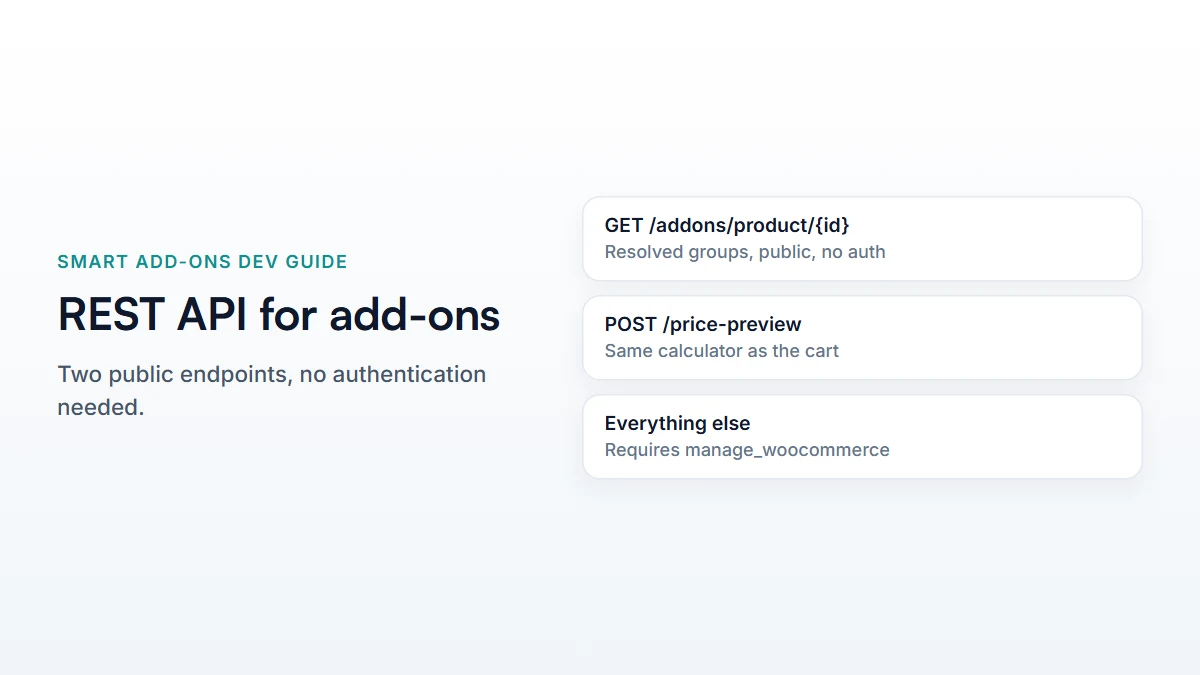
GET /wp-json/saue/v1/addons/product/{product_id} returns the active add-on groups for a published product — global, category, and product-scoped, ordered by priority. It's publicly readable with no authentication: a request without a login is answered as a guest, and a missing, draft, or private product returns 404.
The Smart Add-Ons REST API is what a headless frontend, a mobile app, or any tool outside the WordPress admin actually talks to. Building against it starts with one question: which endpoint, and what shape does it return? This is the Smart Add-Ons REST API — the routes, their authentication, and what a real response looks like.
The Smart Add-Ons REST API endpoint you actually want
GET /wp-json/saue/v1/addons/product/{product_id}No authentication, no nonce, nothing but a product ID. It returns global groups, category groups, and groups scoped to that specific product, with any per-product exclusions applied, ordered by display priority. Groups with Pro visibility rules (by role or date) are filtered for the caller, and a request without a login counts as a guest — so a group shown only to customers or shop managers won’t be in the response. Licence status never changes the result: an expired or unlicensed store still serves its configured add-ons. Groups in an active A/B test (Pro) come back as both variants, tagged with ab_test_id and ab_variant, for your frontend to pick one.
Being public is deliberate: the route only answers for products a visitor could already open on the storefront. A missing, draft, or private product returns 404 — the same response as an ID that doesn’t exist — unless the caller is signed in with rights to see it. The storefront itself doesn’t call this route; the product page embeds the same group data when it renders. The route is there for headless frontends, apps, and other tools.
What’s in a group
Each group in the response carries its name, scope, priority, and a fields array. Each field has its type (one of the registered field type keys), its options where relevant, and a pricing array of rows — one per option, each with a pricing_type (fixed, percentage, or formula) and the values needed to calculate it. A consumer building its own UI reads type to decide how to render the field, and the pricing rows to know what a selection costs.
If you’re rendering a formula-priced field, the raw formula string is present but not evaluated for you — pricing is calculated server-side, which is the next endpoint.
Pricing a selection: the other public endpoint
POST /wp-json/saue/v1/price-preview
{
  "product_id": 123,
  "quantity": 1,
  "addons": { "70": "12", "73": ["pepperoni"] }
}
Also unauthenticated, and rate-limited rather than nonce-gated — a per-caller limit of 60 requests per 60 seconds, enforced server-side. Send the product, quantity, and a map of field ID to selected value, and it returns the priced total, calculated by the same code that prices the cart line. This is the endpoint to call for a live price preview in a custom frontend, rather than reimplementing the pricing logic — reimplementing it risks drifting from what the cart actually charges, which is exactly the failure mode the built-in preview is designed to avoid.
Routes that need authentication
Everything that changes data — creating or editing a group, importing, duplicating, exporting, reading analytics — requires the caller to be logged in with manage_woocommerce capability, checked via WordPress’s normal REST authentication (typically an admin session’s nonce, or Application Passwords for a script running outside the browser). These aren’t built for a public storefront integration; they’re the same routes the admin React app uses.
A minimal fetch, for reference
const res = await fetch(
  `https://yourstore.com/wp-json/saue/v1/addons/product/${productId}`
);
const { groups } = await res.json();
No headers required. This is genuinely the whole request — the same one a headless Next.js or React Native frontend would use, which is what the headless storefront guide builds on. Without a login it returns what a guest sees, and a missing or unpublished product returns 404, so check res.ok before reading groups.
Common questions
Does the REST API respect conditional logic rules?
The endpoint returns every field and its conditions; evaluating which fields should currently be visible based on other selections is logic a consumer needs to run itself — the same evaluation the storefront’s own script runs against the group data the product page embeds.
Does the Smart Add-Ons REST API send a webhook when a group changes?
No — there’s no push notification for add-on changes. A consumer needs to poll or refetch, the same as it would for any WooCommerce product data without a dedicated webhook.
For extending what a field type does server-side before consuming it here, see the custom field type guide, and the WordPress REST API handbook (opens in new tab) for the authentication mechanisms referenced above.


Comments